The solid mid-range PC for most players, but only if you choose the right configuration. The name covers very different machines, so the model you pick matters more than the brand.
Acer sells the Nitro 60 in many versions. In listings I found while researching this guide, one RTX 4060 model was priced at $1,199.99, while another version pairs an RTX 5080 graphics card with 64GB of RAM. Some versions use Intel processors and others use AMD Ryzen. A cheap config and a premium one play very differently.
This guide explains the model numbers, compares the configs, looks at real gaming performance, and points out what Acer gets wrong. We don’t sell PCs here, so check Acer’s site or a retailer for current prices and specs before you buy. Prices change often, so treat any figure as a snapshot.
Acer Nitro 60 Specs at a Glance
- Type: mid-tower gaming desktop (a medium-size PC case).
- Release: listings disagree (some show 2024, others 2025). Check Acer’s site for the exact launch date.
- Processors seen: Intel Core i5-14400F, Core i7-14700F, and Core i9-14900F (14th Gen), Intel Core Ultra 5 225F (a newer Intel processor family), and AMD Ryzen 7 7700 and Ryzen 9 7900.
- Graphics cards (GPUs) seen: from the RTX 4060 up to the RTX 5080. “Ti” after a card’s number marks a faster step-up version, such as the RTX 5070 Ti.
- Memory: DDR5, from 16GB to 64GB, depending on the model.
- Storage: SSDs from 1TB up to 4TB.
- Size: about 15.9 x 14.9 x 8.5 inches and 13.62 lb on one listing. The N60-651 is listed as larger and heavier, so check your exact model.
- Wi-Fi and OS: Wi-Fi 6 and Windows 11 Home on the model Tom’s Hardware tested. Some Core Ultra versions list Wi-Fi 6E, and some listings are Windows 11 Pro.
- Prices seen: roughly $1,050 to over $2,300 in mainstream listings. Some third-party listings ask far more.
What the Acer Nitro 60 Gaming Desktop Is (and Who It’s For)
Where it sits in Acer’s lineup
The Nitro 60 is Acer’s more affordable gaming tower. Tom’s Hardware says it covers the gaming basics without the premium price of Acer’s Predator towers. Acer also sells a related Nitro 65, which Windows Central has reviewed. This guide covers only the Nitro 60.
The design
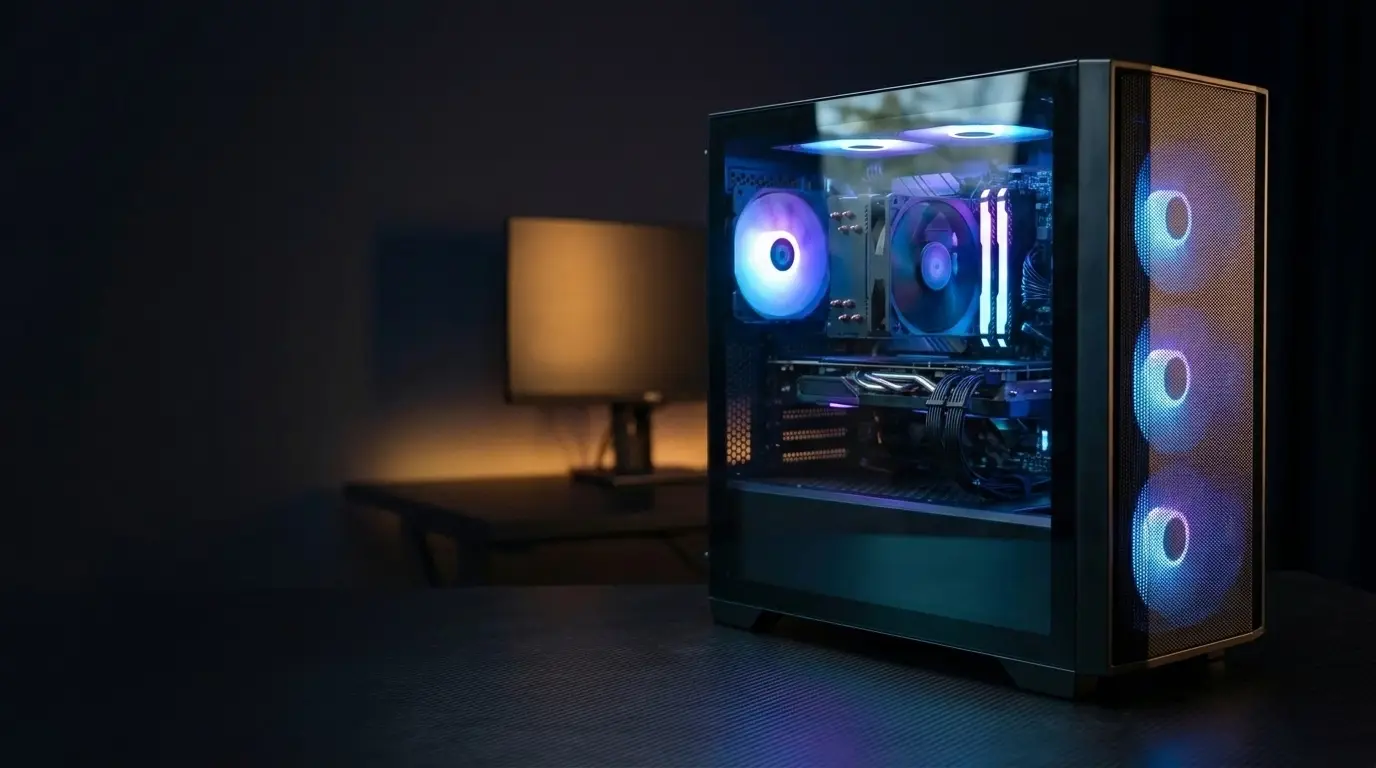
The case is a plain black tower with a tempered glass side panel (a clear glass window that shows the parts inside). Listings advertise aRGB lighting with 16.8 million colors. That means the lights can show many colors, and you can change them.
Tom’s Hardware called the look restrained, which is a plus if you dislike flashy PCs. It also noted that the ports are easy to reach if the tower sits on the floor, but less so on a desk, where cables hang down.
Who should buy it, and who should skip it
Buy it if you want a ready-made gaming PC from a known brand and don’t want to build one. Skip it if you want the newest Wi-Fi or like picking every part yourself. Tom’s Hardware found only Wi-Fi 6 and no bundled peripherals on its model, though an Acer store listing for another model includes a keyboard and mouse. Check what’s in the box for your exact model.
Intel vs. AMD: Understanding the Nitro 60 Model Numbers
The Acer Nitro 60 specs change a lot because one name covers several processor families. In the retailer listings I found, N60-640 and N60-641 models use Intel 14th Gen chips, N60-651 models use a newer Intel Core Ultra chip, and N60-181 models use AMD Ryzen. These are retailer pages, not Acer’s official spec sheet, so confirm your exact model on Acer’s site.
| Model number | Processor and graphics | Memory and storage |
|---|---|---|
| N60-640-UR21 | Core i5-14400F, RTX 5060 | 16GB, 1TB |
| N60-640-UR23 | Core i7-14700F, RTX 5060 | 32GB, 2TB |
| N60-640-UR25 | Core i7-14700F, RTX 5070 Ti | 32GB, 2TB |
| N60-651-UR21 | Core Ultra 5 225F, RTX 5060 | 16GB, 1TB |
| N60-641-UB24 | Core i9-14900F, RTX 5080 | 32GB, 2TB |
| N60-181-UR14 | Ryzen 7 7700, RTX 4070 | 32GB, 2TB |
| N60-181-UR24 | Ryzen 7 7700, RTX 5070 | 32GB, 2TB |
| N60-181-UR27 | Ryzen 9 7900, RTX 5080 | 64GB, 2TB |
N60-640 and N60-641: the Intel 14th Gen models
These versions range from the Core i5-14400F up to the Core i9-14900F. The graphics card varies within the series, so don’t assume two N60-640 machines perform alike.
An “F” at the end of an Intel chip name means it has no built-in graphics. Tom’s Hardware found the motherboard’s HDMI and DisplayPort outputs disabled on its i7-14700F model, so you plug your monitor into the graphics card instead.
N60-651: the newer Intel chip
Listings for the N60-651 show a Core Ultra 5 225F with an RTX 5060 (8GB of video memory), 16GB of DDR5, and a 1TB SSD. Acer’s store lists this version with Wi-Fi 6E. As noted above, it’s listed as larger and heavier than other models, so check the dimensions if space is tight.
N60-181: the AMD models
The AMD versions I found use Ryzen 7 and Ryzen 9 processors. Their graphics range from the RTX 4070 to the RTX 5080. The top of this family costs much more than the Intel entry models.
How to read a part number before you buy
Don’t rely on the model number alone. Best Buy lists an N60-640-UR21 with 64GB of RAM and a 4TB SSD, while Memory Express lists the same number with 16GB and 1TB. Always compare the processor, graphics card, RAM, and storage lines before you buy.
Gaming Performance: What to Expect
A few terms first. FPS (frames per second) is how many images your PC draws each second, and higher feels smoother. 1080p and 4K are screen resolutions, and 4K is much harder to run. Ray tracing is a realistic but demanding lighting effect. DLSS is an Nvidia feature that renders at a lower resolution and upscales the image to boost FPS.
The best test data I found is, published 8 December 2025. It tested one config: a Core i7-14700F, an RTX 5070, and 32GB of RAM. Treat every number below as “as of December 2025” and as applying to that config only.
RTX 5070 configs: 1080p and 4K results
The Acer Nitro 60 RTX 5070 handled most tested games well at 1080p. In Shadow of the Tomb Raider on its highest preset, it hit 194 FPS at 1080p and 68 FPS at 4K. In Far Cry 6 on Ultra, it managed 121 FPS at 1080p and 81 FPS at 4K.
Heavier games were tougher. Cyberpunk 2077 with ray tracing on its top preset ran at 65 FPS at 1080p and just 21 FPS at 4K. Black Myth: Wukong on its Cinematic preset reached 56 FPS at 1080p and 24 FPS at 4K. That review didn’t report 1440p results, so I won’t guess at them.
RTX 5060 configs: no direct test found
I couldn’t find a published benchmark of a Nitro 60 with the plain RTX 5060, so I won’t give FPS numbers for it. The closest data is a different PC, a CyberPowerPC with an RTX 5060 Ti and a different processor. It scored 149 FPS at 1080p and 46 FPS at 4K in Tomb Raider, behind the Nitro 60 at 4K. It’s a different card and a different PC, so treat it as a rough hint only. Before buying an RTX 5060 config, look for a review of that exact model.
4K: possible, but settings matter
Tom’s Hardware’s verdict calls the Nitro 60 capable of mild 4K gaming. In Call of Duty: Modern Warfare III at 4K on the Extreme preset with DLSS on, it saw roughly 90 to 100 FPS on most maps. But the Cyberpunk and Wukong results above show demanding games need lowered settings.
One more factor: the review’s memory ran below its rated speed because XMP (a one-click BIOS setting that unlocks full RAM speed) was off by default. The tester ran benchmarks that way. You may get a bit more speed by turning it on.
Esports vs. AAA games
That review didn’t test esports titles (fast competitive games like shooters). AAA means big-budget games like the ones above. Lighter esports games usually run easier than the heavy titles here, but check benchmarks for the games you play.
Cooling, Noise, and Build Quality
Thermals under load
“Thermals” just means how hot the parts get. Heat can slow a PC down, so cooling matters. The tested Nitro 60 has four RGB fans: two at the front pulling air in (intakes), one on the processor cooler, and one at the back pushing hot air out (exhaust). The processor uses a 120 mm tower air cooler, a metal heatsink with a fan, not liquid cooling.
Tom’s Hardware ran a roughly 30-minute stress test that looped a Metro Exodus benchmark 15 times. The frame rate stayed steady, averaging 121.3 FPS, which points to stable cooling. The Core i7-14700F averaged 52°C.
One caution: that was a single config. Its processor is a 65-watt chip, a lower-power type. I found no thermal tests of the higher-end Ryzen 9 or RTX 5080 versions, so I can’t say how hot those run.
Fan noise
The reviewer found the fans well-behaved. They weren’t silent, but they wouldn’t distract you over normal household noise. I found no decibel (dB) measurements, so that’s the reviewer’s ear, not a lab number.
Inside the case
The reviewer called the build solid, with clean edges, a blackout interior, and tempered glass that feels premium. It uses a standard Gigabyte motherboard rather than a proprietary one, which should make future repairs and upgrades easier.
It also includes an 850W modular power supply, one where you plug in only the cables you need. The review calls that a rarity at this price. A separate chamber hides the power supply, and slide-out dust filters make cleaning simple.
The flaws are small. Cable management is mostly tidy, but the reviewer noted messy bundles behind the right side panel. Also, the glass side panel falls loose once you remove its screws, so hold it as you unscrew.
Upgrade Path and Expansion
Upgrading means swapping or adding parts later instead of buying a new PC. The Nitro 60 looks fairly upgrade-friendly, with caveats that depend on your exact model.
RAM and storage
The Tom’s Hardware unit has four memory slots, three M.2 slots (small slots for fast SSDs), and one bay for a 2.5- or 3.5-inch drive. It shipped with two 16GB memory sticks, so two memory slots were free. A B&H shopper Q&A also confirms a second empty M.2 slot on one Intel config. Slot counts may differ on other models, so check yours.
GPU swap limits
A graphics card swap depends on the power supply (PSU), the part that feeds power to everything. PSU wattage varies by model. Acer’s store lists an 850W Gold-rated PSU for an AMD config, but a B&H listing for an older RTX 4070 model shows 650W.
Also check connector types. The Tom’s Hardware unit used a modular 850W PSU and a standard, widely available Gigabyte motherboard. But one B&H listing for an AMD model describes its PSU connector as proprietary. I couldn’t verify what that means in practice. If you plan to swap the PSU, confirm the connectors on your exact model first. I also found no published maximum graphics-card length, so measure the case before buying a big card.
CPU upgrade ceiling
The Ryzen 7 7700 and Ryzen 9 7900 configs use the AM5 socket, which is the slot the processor plugs into. Check AMD’s site for which future chips fit it. The Intel configs use 14th Gen processors, an older generation, so confirm which CPUs the board supports before planning a processor upgrade.
Bottom line: adding RAM and storage looks easy. A GPU, PSU, or CPU swap needs checks on your exact model first.
Acer Nitro 60 Review: What Acer Gets Wrong
This is not hands-on testing, since we don’t test PCs here. It draws on Tom’s Hardware’s published review (one Intel and RTX 5070 config) and retailer listings. Your exact model may differ.
Memory isn’t running at full speed
The tested memory was rated for 6,000 MHz but ran at 4,800 MHz out of the box, because XMP was off. The fix is a BIOS setting, but beginners may never find it. The reviewer said performance might have been even closer to a rival PC’s had XMP been on.
Your monitor must plug into the graphics card
The motherboard’s video ports are disabled on that model, since its Core i7-14700F has no built-in graphics. Plug your monitor into the graphics card instead. Some people will plug into the wrong port and see a blank screen.
Wi-Fi, ports, and extras
The tested model has only Wi-Fi 6 and no bundled keyboard or mouse. Peripherals vary by config: an Acer store listing for one model includes a USB keyboard and mouse. The tested unit also has just one USB-C port, and the front panel has none. The reviewer noted an unused cutout there.
The review also found a McAfee trial and game demos preinstalled. It says they’re easy to remove. Acer’s lighting app wouldn’t open for the reviewer, who installed a different one. The warranty is one year.
Performance trade-offs
The Intel model’s 65-watt processor finished last in the review’s video-conversion test, so heavy video editors may want something stronger. The reviewer also called the processor older. Separately, RTX 5060 versions have 8GB of video memory (VRAM). That may limit texture quality at higher resolutions in demanding games, though I found no direct test of it.
Upgraded versions can cost a lot more
Pricing can jump with extra RAM and storage. Best Buy lists an RTX 5060 config with 64GB of RAM and 2TB of storage at $1,849, while a 16GB and 1TB version of the same GPU was listed at $1,049.99 on Newegg. The stores differ, but the premium is large. I cover this again in the buying guide below.
Which Should You Buy?
The Acer Nitro 60 price swings a lot, so I’ve split this into tiers instead of naming one “best” pick. Prices below are snapshots from listings and deal sites earlier in 2026, not today’s prices. Check before you buy. Deal-site prices can also be short-term sale prices.
Budget pick: the RTX 5060 config
The Acer Nitro 60 RTX 5060 model most often listed is the N60-640-UR21: a Core i5-14400F, RTX 5060, 16GB of memory, and a 1TB SSD. Newegg lists it at $1,049.99. A March 2026 deal-site post said Amazon had cut it from $1,199.99. Acer’s own store shows a version with a newer Core Ultra 5 225F chip at $1,349.99 on sale.
There are trade-offs. RTX 5060 versions have 8GB of video memory, and I found no direct benchmark of this config. Deal sites even disagree on its target: one calls it built for smooth 1080p, while another calls it a strong value for 1440p.
Best balance: the RTX 5070 config
The Acer Nitro 60 RTX 5070 is the config with real test data. Tom’s Hardware tested a Core i7-14700F, RTX 5070, and 32GB at $1,599 from Micro Center, and recommended it for mild 4K gaming. Prices vary: Acer’s blog lists a Ryzen 7 7700 and RTX 5070 version at $1,979.99. That’s about $380 more, but the processor, store, and date differ, so compare like for like.
A higher-sounding card isn’t always better value. One Newegg listing priced an RTX 5060 Ti config at $2,236.90, well above these RTX 5070 prices.
High-end pick: RTX 5070 Ti and above
The N60-640-UR25 pairs a Core i7-14700F with an RTX 5070 Ti, 32GB, and a 2TB SSD. A deal site listed it at $2,070 on Amazon after a $229 drop. RTX 5080 versions also exist, such as an AMD Ryzen 9 7900 model with 64GB. Prices there swing wildly: one third-party listing asked $5,539.99 for that Ryzen 9 and 64GB model, so be careful. I found no tests of these higher-end configs.
Who should skip the upgraded versions
Best Buy lists an RTX 5060 config with 64GB of RAM and 2TB of storage at $1,849. That’s about $800 above the $1,049.99 base price. The stores and dates differ, but the premium is large. On the tested unit, two of four memory slots were free, so you can add RAM and storage later for less. Check slot counts on your exact model.
vs. the Competition
vs. building your own
In 2026, buying a prebuilt can beat building. that RAM and SSD prices exploded, making a prebuilt cheaper than building the same PC. A summary of a February 2026 PCWorld video says a $1,000 build no longer fit its budget, with component inflation pushing a modest one to $1,250 on PCPartPicker. One 2026 analysis found buying often wins below about $1,500, and said pricing the specific machine matters more than any rule.
I found no current parts total for the exact Nitro 60 configs, and part prices move often. Add up your target config on PCPartPicker, a free site that totals compatible parts, before you decide.
vs. similar prebuilts
Tom’s Hardware has compared the Nitro 60 (Core i7-14700F, RTX 5070) with an ASUS ROG G700 (Core Ultra 7 265KF, RTX 5070) and an iBuyPower Y40 Pro (Ryzen 7 9800X3D, RTX 5070 Ti). It said the Nitro 60 might have come even closer to the ROG G700 had XMP been on.
Nitro 60 prices for a similar RTX 5070 spec vary a lot. Tom’s Hardware’s tested unit cost $1,599 at Micro Center. Best Buy listed a similar i7-14700F config at $1,943.99. A PCWorld deals roundup listed a Ryzen 7 7700 version at $1,399 on Amazon. The dates, processors, and sales differ, so shop the exact spec.
At the high end, a July 2026 buying guide put an iBuyPower Y40 Pro with an RTX 5070 Ti near $1,900, versus $2,070 for a Nitro 60 RTX 5070 Ti deal. That guide uses affiliate links and different processors, so compare specs directly.
Where the Nitro 60 wins and loses
Wins: a recommended, tested RTX 5070 config, a modular 850W PSU, and quiet fans. A prebuilt also comes with Windows and a warranty (one year on the tested model).
Loses: the XMP, USB-C, and processor-age issues covered above, plus prices that swing a lot between stores. Upgraded versions often cost more than their parts are worth.
Pros and Cons
Most of these points come from Tom’s Hardware’s December 2025 review of one config (Core i7-14700F, RTX 5070). Other models may differ.
Pros
- Solid gaming performance, an attractive design, quiet fans, and a modular power supply.
- Easy memory and storage expansion on the tested unit (four memory slots and three M.2 slots).
- Many configs, from the RTX 4060 to the RTX 5080.
- In 2026, it can beat the cost of building the same PC, since RAM and SSD prices spiked.
Cons
- XMP is off by default, so memory runs below its rated speed.
- Only one USB-C port and no integrated-graphics video output on the tested model.
- Wi-Fi 6 only, no bundled keyboard or mouse, and a one-year warranty on the tested model.
- RTX 5060 versions have 8GB of video memory, and I found no direct benchmark of them.
- The Intel processor is older and was last in the review’s video-conversion test.
- Prices vary a lot, and upgraded versions carry a large premium.
Buying Tips and Common Mistakes
Check the full spec, not just the model number. Best Buy lists an N60-640-UR21 with 64GB and 4TB, while Memory Express lists the same number with 16GB and 1TB. Compare the processor, graphics card, RAM, and storage on each listing.
Plug your monitor into the graphics card. The motherboard’s video ports were disabled on the tested model. A blank screen is the usual sign you used the wrong port.
Turn on XMP. It’s a BIOS setting that lets your memory run at its rated speed. Check Acer’s support page for steps on your model.
Don’t overpay for RAM or storage. You can add both later. Check the slot counts on your exact model first.
Check what’s in the box. One Acer store listing includes a keyboard and mouse, but the tested model came without peripherals.
Compare stores and read the warranty. The same spec sells for very different prices. Confirm the warranty terms and return policy before you buy.
FAQ
Is the Acer Nitro 60 good for gaming?
The tested RTX 5070 config is. Tom’s Hardware recommended it for mild 4K gaming. Demanding games still need lowered settings at 4K, as the Cyberpunk 2077 result above shows. I found no direct benchmark of the RTX 5060 configs, so treat those as unproven.
Which graphics cards does the Nitro 60 come with?
Listings show cards from the RTX 4060 up to the RTX 5080. Other configs seen include the RTX 5060, RTX 5060 Ti, and RTX 5070, plus an RTX 5070 Ti version. What’s available depends on the model and store.
Can you upgrade?
Adding RAM and storage looks easy on the tested unit, which had four memory slots and three M.2 slots. Swapping the graphics card, PSU, or processor needs checks first. PSU wattage runs from 650W to 850W across the listings I saw. Confirm your exact model before buying parts.
Does it come with a monitor, keyboard, and mouse?
It depends on the model. The tested unit came without peripherals, but one Acer store listing includes a keyboard and mouse. I found no listing that includes a monitor, and one Newegg listing is marked “No Screen.” Check the “in the box” section of your listing.
Is the worth it compared to building your own PC?
It can be, depending on the config and price. Tom’s Guide reported that RAM and SSD price spikes made some prebuilts cheaper than building. But Nitro 60 prices vary widely between stores, so add up the exact config on PCPartPicker first.
Conclusion
The sensible choice if you buy the right config at the right price. The RTX 5070 version is the safest pick, since it’s the one that was tested and recommended. The RTX 5060 version suits a tight budget, but I found no direct benchmark of it and it has 8GB of video memory. For RTX 5070 Ti and above, compare rival prebuilts first.
Prices here are snapshots from listings I saw while researching in November 2026, and some deal posts date from earlier in the year. Re-check before you buy. We don’t sell PCs here, so use Acer’s site or a retailer for current specs