The AVGPC Max gaming PC is a reasonable pick for 1080p gaming (standard full-HD screens) on a budget, as long as you choose the right version and check the price first. Its parts are older than those in many newer prebuilts, so think of it as decent value today, not a future-proof buy.
Here is the catch: the AVGPC Max is not one PC. Retailers list many versions with different processors and graphics cards, and prices vary between them. That makes the spec sheets confusing.
This review sorts out the versions, explains what is inside, and shows what to expect in games. It also covers the downsides, like older DDR4 memory (RAM) and limited upgrade room.
A quick note: this is an information site, so we don’t sell PCs or link to downloads. Prices and stock change often, so confirm details with the retailer before you buy.
Quick Facts: AVGPC Max Specs at a Glance
The AVGPC Max specs change from listing to listing, so this box shows the range found in retailer listings. Always match it against the exact page you are buying from.
| Product type | Prebuilt gaming desktop (AVGPC “Max” series) |
| Processors (CPUs) seen | AMD Ryzen 5 5500, 5600G, 5600X; Ryzen 7 5700X; Intel Core i5-10600KF, i5-12600KF, i3-10105F |
| Graphics cards (GPUs) seen | Nvidia RTX 3050, 3060, 4060, 4060 Ti, 5060, 5060 Ti; AMD RX 9060 XT |
| Memory (RAM) | 16GB DDR4-3200 on most listings; 32GB on some |
| Storage | 1TB M.2 NVMe SSD on most listings |
| Operating system | Windows 11 (as listed) |
| AVGPC Max price | Listings ranged from about $569 to $1,249, on different dates. Live price: [insert date checked] |
| Warranty | Not confirmed. Check with the seller |
| Verdict | Reasonable 1080p value if the price is right. Limited upgrade room (based on listed specs, not hands-on testing) |
Gaming: Which Variant Are You Actually Buying?
Search for the AVGPC Max gaming PC and you will find it on Newegg, Amazon and smaller resellers. The name stays the same, but the parts inside do not. A “variant” is simply a different version of the same product line with different components.
The two parts to check first are the CPU (the processor, which handles game logic and general tasks) and the GPU (the graphics card, which draws the image). Here are the main versions found in listings.
The Ryzen 5 5600X + RTX 4060 Version
This is one of the most common listings. It pairs a six-core Ryzen 5 5600X (up to 4.6 GHz, per the listing) with an RTX 4060 that has 8GB of VRAM (the graphics card’s own memory). It also lists 16GB of DDR4-3200 RAM and a 1TB SSD.
A price tracker showed this version at $799 on one page and $719.82 on another, so the price moves around. That tracker’s summary box also shows 8GB of RAM, which contradicts the 16GB in the product title. Trust the seller’s own listing and confirm before buying.
The Ryzen 7 5700X + RTX 4060 Ti Version
This step-up version has an eight-core processor. A March 2025 deals roundup from Deltia’s Gaming listed it at $1,029.99 on sale. The reviewer said the CPU could have been better for the money, which is a fair point on a $1,000+ system. A newer Newegg listing pairs the same CPU with an RTX 5060 Ti and 32GB of RAM at $1,249.
The RTX 5060 Versions
Newer listings use the RTX 5060. One Newegg listing pairs it with a Ryzen 5 5500 and a 650W Gold-rated power supply. Another uses the Ryzen 5 5600X and was listed at $999 on Amazon, according to SpecPicks, which shows a 4.1-star rating from 15 reviews. That is a small sample, so do not treat it as proof of reliability.
The Ryzen 5 5500 is a step down from the 5600X (4.2 GHz versus 4.6 GHz boost, as listed). A weaker CPU can hold back a fast graphics card in some games.
How to Spot Your Variant Before You Pay
- Read the model number. Examples seen are AV-MAX-4060Ti-57X and AV-MAX-56X-5060-16-B. The number usually reveals the GPU and CPU.
- Check the CPU and GPU in the title. Do not rely on photos.
- Confirm RAM and storage. Look for 16GB or 32GB, and the SSD size.
- Watch for “components may vary.” At least one Newegg listing says part brands can differ.
- Confirm stock and price on the seller’s page. Several older listings were out of stock.
What’s Inside: Components Breakdown
Here is a closer look at the AVGPC Max specs, based on retailer listings. This describes what sellers say, not what was measured on a unit.
CPU and GPU: How They Pair
The CPU is the PC’s “brain.” It handles game logic, background tasks and instructions. The GPU draws the pictures you see, and it matters most for frame rate. FPS means frames per second, and higher numbers feel smoother.
Most versions pair an AMD Ryzen 5000-series CPU with an Nvidia RTX card. That is a sensible match for 1080p. Mismatches are where to be careful. A Ryzen 5 5500 paired with an RTX 5060 may leave some graphics power unused in CPU-heavy games. That is a general PC-building rule, not a test result.
Graphics cards also have VRAM, which is memory built into the card for textures and visuals. The RTX 4060 listings show 8GB, and one RX 9060 XT listing says 8GB GDDR6. Some newer games can use more than 8GB at high settings, so check the requirements of the games you play.
RAM, Storage and Platform
Most listings include 16GB of DDR4-3200 RAM. RAM is short-term memory that holds whatever the PC is working on right now. 16GB is a common amount for gaming today. DDR4 is the older generation, though, and newer PCs use DDR5.
The storage is usually a 1TB M.2 NVMe SSD, a small, fast drive that cuts loading times compared to older hard drives. A Newegg listing also mentions PCIe 4.0, USB 3.2 and M.2 expansion, which means you can add storage later.
One Newegg listing offers a Ryzen 7 8700G with DDR5 RAM. That is a different platform from the DDR4 versions, so do not assume all Max models upgrade the same way. The motherboard model is not named on any listing, and that matters for upgrades, so ask the seller.
PSU, Cooler and Case
The PSU (power supply unit) feeds power to every part. One Newegg listing includes a 650W Gold-rated unit. “Gold” is an efficiency rating and does not guarantee quality on its own. Check the PSU brand if you plan to upgrade the graphics card later.
Cooling differs by version: a heat-pipe air cooler on the Ryzen 5 5500 and 5600X versions, a Hyper 212 RGB cooler on the 5600G version, and a 240mm liquid cooler (an AIO, or all-in-one liquid cooler) on the i5-12600KF version.
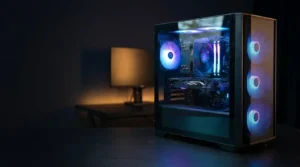
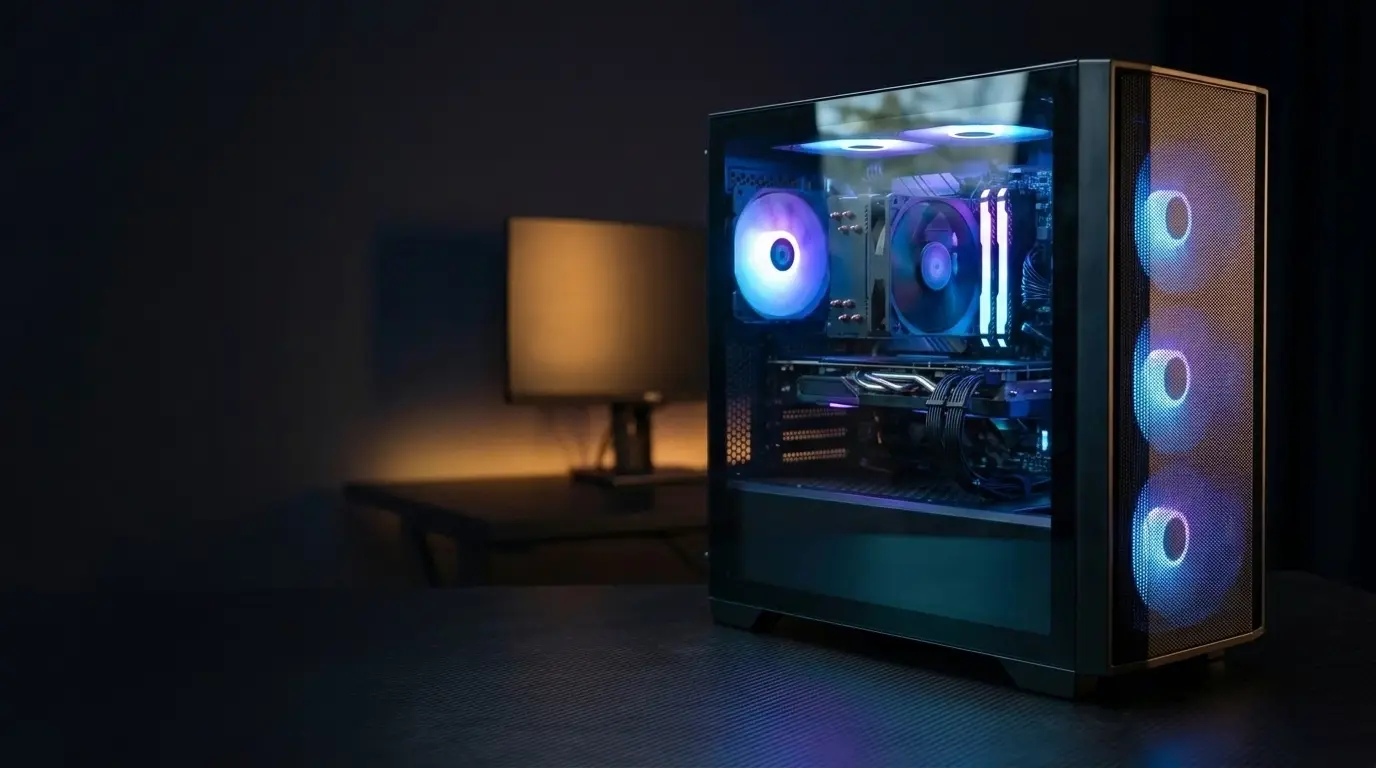
The case is an “AVGPC Max Air-flow M-ATX” design, with tempered glass and a mesh front on the white edition. mATX means a smaller motherboard size, so there is less room for extra parts. The fans are ARGB (addressable RGB lighting). Whether they are quiet or loud is not stated.
AVGPC Max FPS and Gaming Performance: What to Expect
Honest note first: this review does not include benchmark results from a tested unit, and no FPS numbers are invented. The sections below explain what the parts suggest. Add your own tests or cited sources in the table.
1080p Results
At 1080p (1920 x 1080), the graphics card does most of the work. Cards in the RTX 4060 and 5060 class are generally aimed at this resolution. That is a category description, not a measured result for this PC. One price-tracking site describes the RTX 4060 as designed for 1080p and able to handle most modern titles at high settings at that resolution.
FPS depends on the game, the graphics settings and the game version. Games change with patches, so any number should include “as of [game version, Month Year].”
A free estimate tool is the FPS calculator on howmanyfps.com, which has an AVGPC Max page. It is an estimator, not a hands-on test, and its listing shows mismatched RAM (8GB against 16GB in the product title), so double-check what it assumes.
1440p Results and Where It May Struggle
1440p (2560 x 1440) pushes more pixels, so frame rates drop. The 8GB of VRAM on the RTX 4060 and RX 9060 XT versions is the likely limit. One reviewer called 8GB a clear limitation for gaming today and into the future. Some recent games use more than 8GB at high texture settings, which can cause stutter.
Treat 1440p as “possible with lowered settings” for the 8GB versions until you see real tests. The 4060 Ti and 5060 Ti versions may do better, but their VRAM is not stated in the listings found, so check the seller.
Ray Tracing and DLSS
Ray tracing is a lighting effect that makes reflections and shadows more realistic, but it costs a lot of performance. DLSS is Nvidia’s feature that renders at lower resolution and upscales the picture to gain FPS. Frame generation inserts extra frames to look smoother. The RTX versions should support these features, but support varies by game and GPU generation, so check Nvidia’s official site for your card. The RX 9060 XT is an AMD card, so it uses AMD’s upscaling tools instead.
Esports Titles vs. Big Single-Player Games
Esports games are usually lighter and often prioritize high frame rates, so the Max should suit them well. That is an expectation, not a measured result. Large modern single-player games are more demanding, and the CPU-GPU pairing, 8GB of VRAM and older DDR4 memory are where limits are most likely to show.
Thermals, Noise and Build Quality
This section is a checklist for when your unit arrives, with spaces for your own readings.
Temperatures Under Load
Thermals means how hot the parts get. If a CPU or GPU gets too hot, it slows itself down to protect the hardware. This is called thermal throttling, and it lowers your FPS. The case is a compact mATX design with a mesh front and tempered glass side, per the listing. Small cases can leave less room for airflow, but this one’s performance is unknown without tests.
To check yours: install a free monitoring tool such as HWMonitor or MSI Afterburner, play a demanding game for 20-30 minutes, record the highest CPU and GPU temperatures, and compare them to the limits AMD, Intel or Nvidia list for your chip.
Fan Noise and Airflow
The listings mention ARGB fans (RGB lighting) but say nothing about noise. That is a gap, and noise is often what bothers owners most in daily use. Listen at idle and under load. If the fans are loud, you can often adjust the fan curve (the speed set for each temperature) in the BIOS, the setup menu that opens when the PC starts.
Build Quality and Cable Management
Open the side panel when it arrives. Check for loose cables, a wobbly cooler and anything that rattled in shipping. A tempered glass panel puts the inside on display, so tidy cables matter. One Newegg listing says component brands may vary, so ask the seller and note what you receive.
Honest drawback: prebuilt PCs at low prices often leave the motherboard and PSU brand unnamed. That leaves you guessing, which is a reason to ask questions before paying.
Upgrade Path: Where the AVGPC Max Hits Its Limits
This is where the AVGPC Max shows its weak points. The notes come from listed specs, not hands-on testing.
The DDR4 Dead End
Most Max listings use DDR4 memory with Ryzen 5000-series processors, which work on AMD’s AM4 platform (the socket type that fits the CPU). AM4 is an older platform, so you cannot move to DDR5 memory or newer CPU generations without replacing the motherboard and RAM.
For a budget buyer that is a fair trade-off, because DDR4 is cheaper. Just know that the CPU upgrade path is short. Since the motherboard is not named in listings, ask the seller whether newer AM4 chips are supported. The Ryzen 7 8700G version uses DDR5 and may have a longer upgrade life, but verify that it is still sold.
16GB of RAM and 8GB of VRAM
16GB of RAM works for most games today, but leaves less room if you also run a browser, Discord or streaming software. Adding a second 16GB kit is a common fix if the board has a free slot and the memory is compatible. VRAM is harder: it is part of the graphics card, so you cannot add more. The 8GB cards may run into trouble in newer games at high texture settings, so check each game’s requirements “as of [game version, Month Year].”
PSU and Case Headroom
The 650W Gold PSU on one Newegg listing is enough for the stock parts. Whether it can handle a much more power-hungry graphics card later depends on that card’s requirements. The PSU brand is not named, which adds some doubt. The mATX case is also a limit, since a longer graphics card or large cooler may not fit. Measure before buying.
In short: extra RAM and an extra SSD are easy. A new GPU or CPU is harder. VRAM cannot be changed without replacing the card.
Setup Guide for Beginners vs. Tweaks for Advanced Users
Beginner: First-Boot Checklist
- Inspect the PC before plugging it in. Look for dents, loose parts and missing accessories. Photograph any damage for a return claim.
- Run Windows Update. The listings say Windows 11 is included, but updates are not guaranteed to be installed.
- Update your graphics driver. A driver is software that lets Windows talk to a part. Get it from Nvidia’s or AMD’s official site. The current version: [insert driver version, Month Year].
- Set your monitor’s refresh rate. Refresh rate is how many times per second the screen updates (measured in Hz). Many monitors default to 60Hz even when they support more. Check Windows display settings.
- Check your RAM speed. RAM sometimes runs slower than advertised until you enable a profile (XMP on Intel boards, EXPO or DOCP on AMD boards) in the BIOS. Look up your motherboard’s manual first.
- Remove software you do not want. What comes pre-installed is not confirmed, so check for yourself.
Advanced: Optional Tweaks
- Undervolting: lowering the voltage a part uses, which can reduce heat and noise. Results vary by chip, and mistakes can cause crashes.
- Custom fan curves: set fan speed per temperature in the BIOS or a tool. Useful if the stock fans are loud.
- Adding RAM: a second matching kit, if a slot is free.
- Adding an SSD: the listing mentions M.2 expansion, so a second drive may fit. Check the motherboard manual.
Honest drawback: opening the case or changing parts might affect your warranty. AVGPC’s terms were not confirmed, so read them first.
Gaming vs. Building It Yourself vs. Other Prebuilts
Is the AVGPC Max gaming PC cheaper than building your own? It depends on the day, because part prices move a lot.
What a DIY Build Would Cost
A DIY (do-it-yourself) build means buying the parts separately and assembling them. It can save money, but you handle the setup and any warranty claims part by part.
Graphics card prices alone show the spread. The RTX 4060 launched in 2023 at a $299 recommended price. One tracker listed deals starting at $370 in November 2026. Another showed $488 as of August 14, 2026. A third reported a current low of $320 and a 12-month low of $250 as of August 1, 2026. Differences in date, seller and method explain the gap, so do not trust any single figure.
For reference, one tracker listed the 5600X + RTX 4060 Max at $719.82 on Amazon and another showed $799. Those are older snapshots, so recheck.
| Part | Match for the 4060 version | Your price | Date checked |
|---|---|---|---|
| GPU | RTX 4060 8GB |
Case + cooler
Trade-offs: DIY costs time, and a mistake can damage a part. A prebuilt gives you one box and one seller to contact, but you do not get to choose the motherboard or PSU brand.
How It Compares With Other Prebuilts
A March 2025 Deltia’s Gaming roundup listed the AVGPC Max (Ryzen 7 5700X, RTX 4060 Ti, 16GB DDR4, 1TB SSD) at $1,029.99 on sale. It sat beside the Cobratype Pilot (Ryzen 5 9600X, RX 9070, 32GB DDR5) at $1,669.99 and the Acer Nitro 60 (Core i7-14700F, RTX 5070, 32GB DDR5) at $1,749.99. The pricier machines use newer DDR5 memory and stronger graphics cards, so the AVGPC is cheaper but older. That roundup is from March 2025, so check current prices.
Platform Differences: Where You Buy Matters
Newegg, Amazon and smaller resellers list different variants. One Newegg listing says component brands may vary, and several reseller listings were out of stock or had no warranty details. Ask who handles repairs, the seller or AVGPC.
Bottom Line
Treat the AVGPC Max as a convenience purchase, not automatically a bargain. It makes sense if the price beats your DIY total and you would rather not build.
Pros and Cons
Pros
- Ready to use. A complete prebuilt with Windows 11 listed, Wi-Fi, an SSD and, on some listings, a keyboard and mouse.
- Sensible parts for 1080p. Pairings like the Ryzen 5 5600X with an RTX 4060 target standard full-HD gaming.
- Fast storage. The 1TB M.2 NVMe SSD should load games faster than an old hard drive.
- Room to add storage and RAM. The Newegg listing mentions M.2 expansion, and extra RAM is a common upgrade.
- Often cheaper than newer prebuilts. In the March 2025 comparison, rivals with DDR5 and stronger graphics cards cost far more.
Cons
- The variants are confusing. One name covers many CPU, GPU and RAM combinations, and spec pages sometimes contradict each other.
- 8GB of VRAM can be limiting. One reviewer called it a clear limitation for gaming today and into the future.
- Older platform. DDR4 and Ryzen 5000-series CPUs limit upgrades without a new motherboard.
- Some CPU choices draw criticism. The March 2025 review said the processor in the 4060 Ti version could have been better.
- Unknowns. Listings do not name the motherboard or PSU brand, and warranty terms and fan noise were not confirmed.
- Thin review data. One 5060 version has 4.1 stars from 15 reviews, and another has 3.4 stars from just 3 reviews on SpecPicks. Those samples are too small to judge reliability.
Common Mistakes When Buying an AVGPC Max
- Not checking which variant you are getting. Match the model number and the parts in the title before you pay. Do not rely on photos or a price tracker’s summary box.
- Assuming it is upgrade-proof. The compact mATX case, DDR4 platform and 650W PSU (on at least one version) limit big upgrades.
- Ignoring the 8GB VRAM limit. Look up the requirements of the games you play, “as of [game version, Month Year].”
- Overpaying versus recent prices. The same product has appeared at very different prices. Compare at least two sellers and check the date on any price.
- Skipping the seller details. Confirm who handles the warranty and the return window, and keep photos of what arrives.
- Believing a spec box without checking it. Third-party pages sometimes contradict the seller’s listing, so trust the seller’s page and ask questions.
Who Should Buy It, and Who Should Skip It
It may suit you if:
- You play at 1080p and want a ready-made system
- You would rather not build a PC
- The listed price is clearly below a similar DIY build on the day you check
Consider skipping it if:
- You want 1440p or high-texture settings in newer games, because the 8GB VRAM versions may struggle
- You want a long upgrade path, since the DDR4 platform is older
- You need confirmed warranty terms and part brands, which listings do not always state
- You can find a newer-platform prebuilt at a similar price
FAQ
Is the AVGPC Max gaming PC good for 1080p gaming?
Probably, for most versions. The listed parts, such as RTX 4060 and 5060 class cards, are aimed at 1080p. No unit was tested here, though, and weaker versions like the RTX 3050 listings will do less. Check your exact variant.
Which games can the AVGPC Max run at high settings?
An honest list is not possible without testing. Results depend on the variant, the game and its current version. For an estimate, use the FPS calculator on howmanyfps.com, then check each game’s official requirements page. Treat the calculator as a guide, not a guarantee.
Can you upgrade the RAM and GPU in the AVGPC Max?
RAM and storage, usually yes. The listings mention M.2 expansion, and a second RAM kit is a common upgrade if a slot is free. Confirm with the seller. The GPU is trickier, because the compact mATX case and the 650W PSU on at least one version may limit what fits and what it can power. VRAM cannot be upgraded at all.
Is AVGPC a reliable brand?
That cannot be confirmed. The review data found is thin: one 5060 version shows 4.1 stars from 15 reviews on SpecPicks, and another shows 3.4 stars from 3 reviews. Those samples are too small to judge long-term reliability. Warranty terms were also not confirmed, so read the seller’s policy first.
Is the AVGPC Max cheaper than building your own PC?
Sometimes. Part prices swing a lot. One tracker listed RTX 4060 deals starting at $370 in November 2026, while another reported a 12-month low of $250. Add up your own parts list on the day you buy, using the table above, and compare it with the Max’s listed price.
Conclusion
The AVGPC Max gaming PC can make sense as a budget 1080p system, but only if you buy the right version at the right price. The name covers many different CPU and graphics card combinations, so confirm the exact parts before you pay. Weigh the extras too: 8GB of VRAM can limit newer games, the DDR4 platform is older, and warranty details are often unclear.
This AVGPC Max gaming PC review is based on listings and outside sources, not hands-on testing. Check live prices on the day you buy and compare your total against a DIY build. If the numbers favor the Max and 1080p is your target, it is worth a look.